
- trackaffadmin
- 0 Comments
- 34 Views
A Facebook attribution window is the time after someone clicks or views your ad during which Meta can credit a resulting conversion to that ad. It also shapes what the algorithm optimizes for, not just what shows up in your reports. Meta lets you choose from click and view options, but there’s no universal best setting. Match the window to your sales cycle, start with 7-day click, and test from there.
TL;DR:
- Choosing the right attribution window depends on your sales cycle, with 7-day click as a common starting point, but longer or shorter windows may suit specific purchase behaviors.
- Narrower windows provide more precise data but risk undercounting conversions for longer sales processes, while wider windows increase data volume but may credit organic or delayed conversions.
- Testing different windows simultaneously by duplicating campaigns helps determine which setting yields the most reliable and actionable insights, especially for long-term or off-site conversions.
- External platforms like Google Analytics and CRM data should be used to validate Meta’s attributed conversions due to inherent tracking gaps caused by browser restrictions and user opt-outs.
- Implementing server-side tracking through the Conversions API addresses many data loss issues, ensuring attribution windows are based on actual buyer actions rather than incomplete pixel signals.
Table of Contents
- How Attribution Windows Work on Meta
- What Do the 1-Day, 7-Day, and 28-Day Windows Actually Count?
- Where Do You Change Attribution Settings in Ads Manager?
- How Does the Window You Pick Affect Optimization and Learning?
- How Should You Choose and Test Your Attribution Window?
- Why Tracking Gaps Happen and How Server-Side Data Closes Them
- What Actually Matters When You Set Attribution Windows
- Sources
How Attribution Windows Work on Meta
Attribution and optimization sound like the same thing. They’re not, and confusing them is where most reporting headaches start.
Attribution is what gets counted after the fact. Optimization is the signal Meta’s algorithm uses in real time to decide who sees your ad next. The window you select controls both, but it affects them differently. A longer window means more conversions get pulled into your reporting, and it also means the algorithm has more data points to learn from during active delivery.
Meta credits conversions two ways. Click-through attribution counts a conversion if someone clicked your ad and converted within the window. View-through attribution counts a conversion if someone saw the ad, didn’t click, and converted anyway within a shorter window. Meta’s own documentation confirms that standard attribution settings let advertisers choose which of these to credit, and that choice changes what delivery optimizes toward.
That second part matters more than most advertisers realize. Here’s what actually happens when you change the window:
- Wider windows feed more data to the algorithm. More credited conversions during the learning phase means faster exit from “learning” status.
- Narrower windows produce a cleaner signal. Fewer conversions get counted, but the ones that do are more likely tied directly to that specific ad exposure.
- View-through inclusion can inflate volume. Someone who saw your ad, closed the app, and bought a week later through organic search still gets counted if the window and setting allow it.
- The window is set at the ad set level, meaning different ad sets in the same campaign can run different windows simultaneously.
None of this is visible in the ad itself. It lives entirely in your settings and your reporting columns, which is exactly why so many advertisers misread their own numbers.
What Do the 1-Day, 7-Day, and 28-Day Windows Actually Count?
Meta offers a specific menu of windows, and each one draws its net differently.
- 1-day click. Only counts conversions happening within 24 hours of a click. A shopper who clicks an ad for running shoes and buys three hours later gets counted. The same shopper buying on day three does not.
- 7-day click. The most common default and the one Meta’s attribution documentation treats as standard for most campaign objectives. Someone who clicks Monday and purchases the following Sunday still counts.
- 28-day click. Built for longer consideration cycles, think furniture, insurance quotes, or B2B software trials. A lead who clicks an ad and converts three weeks later still gets attributed.
- 1-day view. Credits a conversion if someone saw the ad (no click) and converted within 24 hours. This is the narrowest view-through option Meta offers.
- 7-day click plus 1-day view (combined). A common blended setting that captures both direct clickers and quick view-through converters, without extending view credit as far as click credit.
The Adjust glossary on attribution windows describes this same click-versus-view split as the industry standard measurement approach, not a Meta-specific quirk. What’s Meta-specific is how aggressively it defaults new advertisers into 7-day click, and how easy it is to leave that setting untouched for years without realizing it’s shaping your reported ROAS.
Where Do You Change Attribution Settings in Ads Manager?
Attribution settings live in a few specific spots, and knowing where to look saves you from guessing based on stale reports.
- Ads Manager column customization. Open any reporting view, click “Columns,” then “Customize Columns,” and you’ll find attribution window options nested under conversion metrics.
- Ads Manager settings menu. A dedicated “Attribution Settings” panel lets you set the default window applied across your ad account’s reporting.
- Events Manager. This is where you verify which events (purchase, lead, registration) are firing and confirm they’re eligible for the window you’ve selected.
- On-ad reporting columns. According to Meta’s guidance on actions attributed to your ad, when view-through reporting is enabled, you’ll see separate breakdowns for click-through and view-through actions rather than one blended number.
Comparing windows side by side used to be simpler through Meta’s now-retired Attribution tool. Today, the practical workaround is running the same reporting period under two different column configurations and exporting both, a process industry guides on attribution settings walk through in more detail.
Pro Tip: Before you change your account-wide default window, duplicate one high-spend campaign and let it run under the new setting for at least a full week. Comparing a live parallel test beats comparing two different time periods against each other.
How Does the Window You Pick Affect Optimization and Learning?
Every window you set is really a trade-off between volume and precision, and picking wrong in either direction has a real cost.
Broader windows, like 28-day click, hand the algorithm more conversion events to learn from. That’s genuinely useful during the learning phase, when Meta needs roughly 50 optimization events per week to stabilize delivery. Campaigns stuck in “learning limited” status often just don’t have enough attributed conversions flowing in, and a wider window can unstick that faster than raising budget alone.
Narrower windows, like 1-day click, cut the other way. Fewer conversions get attributed, so:
- The algorithm has less data to work with, which can slow or stall learning phase exit
- Reported ROAS tends to look more conservative and closer to true incrementality
- Impulse-driven, low-consideration offers (apparel, food delivery, flash sales) rarely lose much data, since most conversions happen fast anyway
- Longer sales cycles (financing, B2B, high-ticket services) lose meaningful volume, sometimes undercounting real performance by weeks’ worth of delayed conversions
Practitioners generally treat this as a deliberate balancing act: wider windows accelerate learning but risk crediting ads for conversions that would have happened anyway, while narrower windows stay conservative at the cost of starving the algorithm of data it needs to optimize well.
Apple’s App Tracking Transparency framework complicates all of this further. When users decline tracking permission on iOS, Meta loses the device-level identifiers it previously used to connect ad exposure to conversion, regardless of which window you’ve chosen. The window setting still applies, but the underlying signal feeding it has gotten thinner since ATT rolled out, which is part of why attributed numbers and platform-reported ROAS have drifted further from reality over the past few years.
How Should You Choose and Test Your Attribution Window?
Pick a starting point based on how long your customers actually take to buy, then verify it with a real test instead of guessing.
- Match the window to your sales cycle. Impulse purchases and low-cost e-commerce items fit well with 1-day or 7-day click. Considered purchases like insurance, real estate leads, or SaaS trials usually need 28-day click to capture the full buying journey.
- Run a parallel test, not a sequential one. Duplicate the campaign, apply different windows to each version, and let both run against the same audience and budget simultaneously for at least one full week, ideally two.
- Watch four metrics side by side. Track CPA, ROAS, raw conversion count, and learning phase status across both versions. A window that shows better ROAS but is still stuck in “learning limited” isn’t actually winning yet.
- Align your optimization event with the window. If you’re optimizing for purchase but your funnel has a multi-step checkout, a 1-day window may cut off conversions that complete legitimately on day two or three.
- Reconcile against an external source. Cross-check Meta’s attributed conversions against Google Analytics or your CRM. Discrepancies are normal, PPC Hero’s breakdown of reconciling Facebook and Google Analytics data explains why the two systems rarely match exactly, since GA tracks last-click by default while Meta credits based on its own window logic.
Pro Tip: Don’t switch your default account window more than once per quarter. Constantly changing it makes historical comparisons meaningless, since you’ll never know if a performance shift came from the market, the creative, or the measurement window itself.
Why Tracking Gaps Happen and How Server-Side Data Closes Them

Attribution windows only work if Meta actually receives the conversion event in the first place, and increasingly, it doesn’t.
Several failure modes now routinely block that signal:
- Browser restrictions. Safari’s Intelligent Tracking Prevention and similar browser-level blocking strip cookies before the pixel can fire.
- iOS App Tracking Transparency. Once a user declines tracking, as Apple’s ATT documentation governs, device-level identifiers that used to connect click to conversion disappear.
- Ad blockers and privacy extensions. These stop pixel-based tracking outright on a meaningful share of desktop traffic.
- Off-site conversions with no client-side pixel. Deposits, phone bookings, and in-person sales often happen somewhere the pixel never loads at all.
Server-side tracking through the Conversions API addresses the browser and iOS gaps by sending event data directly from your server to Meta, bypassing the client-side pixel entirely. For conversions that happen off-site entirely, sales calls, deposits, CRM-confirmed purchases, that server-side pipe still needs something to feed it. That’s the gap Trackaff’s server-side Meta tracking is built around: a branded form captures the actual off-site outcome (purchase, deposit, registration) and reports it back to Meta through the Conversions API, so the attribution window you’ve chosen is working off real buyer data instead of just click data.
| Tracking gap | What causes it | Server-side fix |
|---|---|---|
| Pixel loss on Safari/Firefox | Browser-level cookie blocking | Conversions API event sent server-side |
| iOS signal loss | App Tracking Transparency opt-outs | Server-side event matching without device ID |
| Off-site conversions | Sale happens outside the tracked page (call, CRM, deposit) | Branded post-click form reports the outcome directly |
| Duplicate event risk | Pixel and CAPI both firing for the same action | Event deduplication with matched event names and timestamps |
Implementing this well means validating event names and timestamps match between pixel and CAPI, confirming webhook events from your CRM land correctly, and checking Events Manager for duplicate counts before trusting the numbers. Get that groundwork right, and your attribution window starts measuring what actually happened, not just what the pixel managed to see.
What Actually Matters When You Set Attribution Windows
Most advice on this topic treats attribution windows like a settings checkbox you configure once and forget. That’s backwards. The window is a live lever that changes what your campaign optimizes for, every day it runs, and leaving it on default is itself a decision, just an unexamined one.
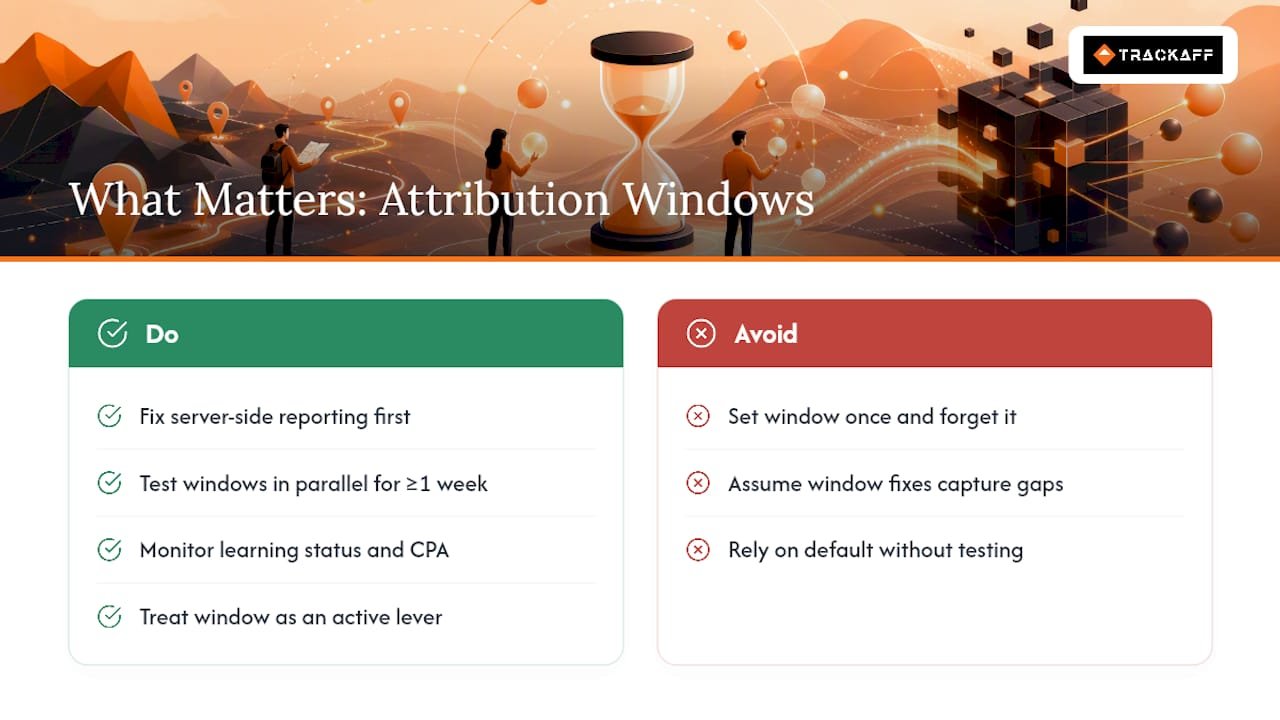
The bigger blind spot is thinking better window selection fixes a data problem that’s actually a data capture problem. You can pick the perfect 28-day click window for your long sales cycle, and it won’t help if half your real conversions never reach Meta because they happened over the phone or through a form your pixel never touched. Fix the capture gap with server-side reporting first. Then the window you choose is optimizing against numbers you can actually trust.
If you take one thing from this: test your window like you’d test creative, in parallel, for at least a week, watching learning status alongside CPA. Everything else is secondary to getting real conversion data into Meta’s hands in the first place.
— Terry
Ready to see what your real off-site conversion data looks like inside Meta’s reporting? Trackaff’s pricing plans start with a free trial, so you can validate your own numbers before committing to a subscription.
Sources
Your deals close off the pixel. Meta never finds out.
TrackAff reports your real conversions back to Meta the moment they happen, tied to the exact ad that produced them. 10-minute setup, no code.
Start free 14-day trial → Card required · No charge until day 14 · Cancel in one click